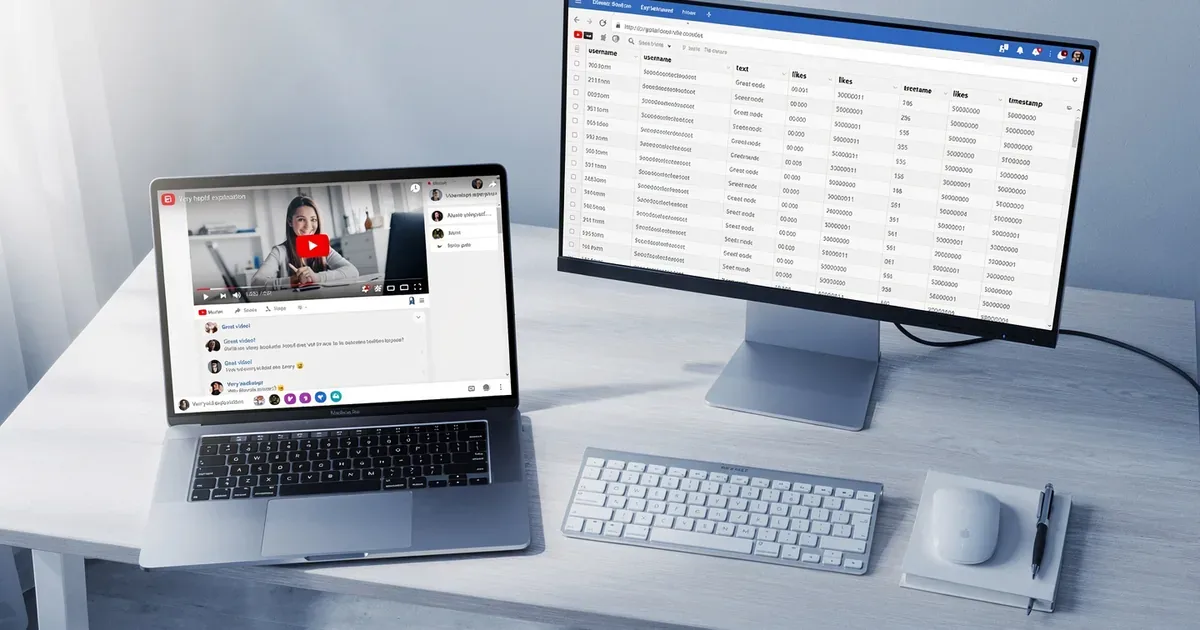

This ultimate guide to extracting TikTok comments for viral trend tracking exists because TikTok's engagement rate hit 3.70% in 2026, nearly 8x higher than Instagram's 0.48%, making its comment section the single most data-rich source of real-time consumer insight on the internet. If you want to know what a trend actually means to real people, the comments tell you everything the view count hides.
Key Takeaways
| Question | Quick Answer |
|---|---|
| Can you export TikTok comments without coding? | Yes. Tools like ExportComments let you export TikTok comments to CSV or Excel in three steps. No API keys or coding required. |
| What formats can TikTok comments be exported in? | CSV, Excel, and JSON. You can also push directly to Google Sheets for live collaboration. |
| What metadata is included in a TikTok comment export? | Username, comment text, timestamp, like count, and reply threads. Everything you need to understand your audience at a glance. |
| How do you detect trends inside TikTok comments? | Run AI sentiment analysis and topic clustering on your exported data. Positive and negative sentiment spikes signal which trends have real traction. |
| Is there a free way to extract TikTok comments? | Yes. ExportComments offers 25 exports per month on its free tier. No credit card required to start. |
| Can you extract comments from multiple platforms at once? | Yes. TikTok, YouTube, Instagram, and X (Twitter) are all handled from the same dashboard. Cross-platform trend tracking in one workflow. |
| Do you need a developer to use the TikTok comment export API? | Not for basic exports. The API is available for teams that want to automate pipelines at scale, with Python, JavaScript, and cURL examples provided. |
Why Extracting TikTok Comments Is Essential for Viral Trend Tracking
Views and likes are lagging indicators. Comments are where intent lives.
When a video goes viral, the comment section fills up in hours. Users react, debate, tag friends, and ask questions. That text data is a direct signal of what the trend means to your audience, not just how many people saw it.
Manual reading doesn't scale. A single viral TikTok post from a large account can generate tens of thousands of comments overnight. You need a structured approach to extract TikTok comments for viral trend tracking, otherwise you're sampling noise and calling it research.
Structured extraction gives you:
- Timestamped data to map when sentiment shifted during a trend cycle
- Reply threads to see which sub-conversations gained the most traction
- Like counts per comment to surface the opinions your audience actively endorsed
- Username data to identify repeat commenters and potential advocates
That's the foundation of real trend intelligence. Not guesswork. Data.
What TikTok Comment Data Contains (and Why Each Field Matters)
Before you extract anything, understand what you're actually capturing.
A full TikTok comment export includes these fields:
| Field | Why It Matters for Trend Tracking |
|---|---|
| Comment Text | The raw signal. Feed it into sentiment analysis and topic clustering. |
| Username | Cross-reference across videos to spot recurring community voices. |
| Timestamp | Map trend velocity. Did engagement spike at hour 2 or hour 48? |
| Like Count | Identifies community-endorsed opinions. High likes = shared sentiment. |
| Reply Threads | Sub-conversations reveal the secondary topics a trend is spawning. |
Your data, your format. Export it as CSV for spreadsheet analysis, JSON for pipeline ingestion, or Excel for stakeholder reports.
How to Extract TikTok Comments for Viral Trend Tracking: Step-by-Step
No developer needed. No API key setup. Three simple steps cover the full workflow.
- Paste the TikTok URL. Copy the URL of any public TikTok video. Paste it into the ExportComments dashboard. The tool auto-detects the platform and begins pulling comment data immediately.
- Choose your format. Select CSV, Excel, JSON, or push directly to Google Sheets. Pick based on your downstream workflow, not on what's easiest to export.
- Download and analyze. Your file is ready in seconds. From URL to insights in seconds, including full comment threads, metadata, and optional AI analysis layered on top.
Prefer to stay in your browser? Install the Chrome extension for one-click exports directly from any TikTok page. No copy-pasting. No tab switching.
Did You Know? TikTok's 2026 algorithm gives significantly more weight to "Engagement Quality" (comments, shares, and rewatches) than to views and likes alone. (Source: TikTok algorithm research, 2025.)
This has a direct implication for trend researchers. A video with 500 highly engaged comments carries more algorithmic weight than one with 50,000 passive views. When you extract TikTok comments for viral trend tracking, you're reading the signals the algorithm itself is prioritizing.
Best Tools for Extracting TikTok Comments for Viral Trend Tracking in 2026
The market has multiple options. Here's how to evaluate them.
When comparing tools for extracting TikTok comments, focus on four criteria:
- Export volume: Can it handle 10,000+ comments on a single video without timing out?
- Format flexibility: Does it give you CSV, Excel, and JSON, or lock you into one output?
- AI analysis: Does it classify sentiment, detect spam, and cluster topics automatically?
- Multi-platform support: Can the same tool handle YouTube, Instagram, and X in one dashboard?
ExportComments meets all four. See how the leading TikTok comment exporters compare side-by-side before committing to a workflow. For an in-depth head-to-head, read the SocialExport vs ExporTikTok comparison.
| Feature | ExportComments | Manual Method |
|---|---|---|
| Full comment thread export | Yes | No |
| AI sentiment analysis | Yes | No |
| Spam and bot detection | Yes | No |
| CSV / Excel / JSON / Sheets | Yes | No |
| No coding required | Yes | Varies |
| Free tier available | Yes (25/month) | N/A |
Using AI Sentiment Analysis to Track Trends Inside TikTok Comments
Raw comments are text. Sentiment analysis turns that text into a signal.
Once you extract TikTok comments for viral trend tracking, the next step is classification. ExportComments runs AI sentiment analysis powered by Claude AI, classifying every comment as positive, negative, or neutral. It also runs topic clustering to group related comments by theme.
Here's what that gives you in practice:
- Trend validation: If 70% of comments on a trend video are positive, the trend has real legs. If sentiment is split, it's controversy-driven (which has a different lifecycle).
- Emerging sub-topics: Topic clustering surfaces the conversations branching off from the main trend. These are often your next content opportunities.
- Spam and bot filtering: Our AI flags suspicious patterns so you can keep your community authentic. Filtered data means cleaner trend signals.
Bot detection matters more than most researchers realize. Artificially inflated comment sections distort your trend data. Filtering them out gives you the actual audience response, not a manipulated one. For a deep dive into how this works in practice, see our guide on detecting bot comments on TikTok.
How to Export TikTok Comments to Excel and Google Sheets for Team Workflows
Trend tracking is rarely a solo task. Your data needs to move across teams.
ExportComments supports four output formats so your data lands exactly where your team works:
- CSV: Clean, portable, compatible with any analytics tool.
- Excel (.xlsx): Ready for pivot tables, filters, and stakeholder decks.
- JSON: Structured for developer pipelines, dashboards, and data visualization tools.
- Google Sheets: Live, shareable, and collaborative from day one.
Select CSV, Excel, JSON, or push directly to Google Sheets. The format decision should reflect your workflow, not your export tool's limitations. For a step-by-step walkthrough, see our guide on exporting TikTok comments to Excel.
For teams running ongoing trend monitoring, the REST API enables fully automated pipelines. Schedule exports, trigger sentiment analysis, and retrieve results programmatically without touching the dashboard.
Did You Know? Brands that respond to negative comments within 24 hours see a 12% lift in follower retention. (Source: Social media engagement benchmarks, 2025.)
That 12% lift is only possible if you can identify negative comments fast. Extracting and filtering for negative sentiment automatically means you act in hours, not days. Trend tracking and reputation management use the exact same data pipeline.
Advanced Workflow: From TikTok Comment Extraction to Viral Trend Report
Here's how a structured trend tracking workflow looks from start to finish.
- Identify candidate videos. Search TikTok for trending sounds, hashtags, or topics. Select 5-10 high-engagement videos in your niche.
- Extract comments in bulk. Paste each URL into ExportComments. Export all comments and replies with full metadata to CSV or Google Sheets.
- Run AI sentiment analysis. Classify the dataset. Flag positive, negative, and neutral segments. Identify outlier comments with high like counts.
- Apply topic clustering. Group comments by recurring keywords and themes. These clusters are your emerging sub-trends.
- Filter for spam and bots. Remove artificial signals before drawing conclusions. Your trend report should reflect real audience behavior.
- Cross-reference with time data. Use timestamps to map when specific sentiment or topics spiked. Early spikes indicate trend originators; late spikes indicate mainstream adoption.
- Build the report. Summarize findings by sentiment distribution, top topics, peak engagement windows, and recommended content angles.
This workflow runs in one dashboard. Everything you need to understand your audience, from raw extraction to structured insight, without switching tools.
Cross-Platform Trend Tracking: Beyond TikTok Comments
Viral trends don't stay on one platform. They migrate.
A trend that starts in TikTok comment threads often surfaces two to three days later in YouTube comment sections, then hits Instagram Reels, and eventually generates conversation on X. Tracking the migration pattern tells you where a trend is in its lifecycle.
ExportComments handles all four platforms from the same dashboard:
- Export YouTube comments to compare how the same trend is received on a longer-form audience.
- Export Instagram comments from posts, Reels, and carousels to track visual trend adoption.
- Export X (Twitter) replies including nested threads and quote tweets for discourse-level analysis.
Cross-platform parity means one workflow, one format, one dataset. You're not stitching together four incompatible exports from four different tools.
Pricing: How to Start Extracting TikTok Comments Without a Large Commitment
You don't need a long-term subscription to run a solid trend analysis project.
ExportComments offers a free tier with 25 exports per month. No credit card required to create your account and run your first extraction. For a single campaign or one-off research project, that's often enough to get your first data set.
For larger projects, paid plans unlock higher export limits, and the Agency plan adds full API access for automated pipelines. The entry point is intentionally low-friction. Start free, try a paid tier, or subscribe based on what your volume actually demands.
Create your free account and run your first TikTok comment export today. No credit card required.
Conclusion: Your Practical Guide to Extracting TikTok Comments for Viral Trend Tracking
This ultimate guide to extracting TikTok comments for viral trend tracking covers everything from raw data capture to AI-powered sentiment analysis and cross-platform reporting. The tools exist. The workflow is simple. The data is there.
Paste a URL. Choose your format. Download and analyze. That's the complete loop, from URL to insights in seconds.
Comments are where trends reveal themselves before the analytics dashboards catch up. Extract them systematically, clean them with spam detection, classify them with AI sentiment analysis, and you have a repeatable process for identifying what's gaining traction before it peaks.
The teams tracking trends accurately in 2026 are the ones working from comment data, not from view counts. Start there.
Frequently Asked Questions
How do I extract TikTok comments without using code or an API?
Paste the TikTok video URL into ExportComments, select your output format (CSV, Excel, or JSON), and download. No API keys or coding required. The process takes under a minute for most videos.
Is extracting TikTok comments for trend tracking legal in 2026?
Extracting comments from public TikTok videos for research and analysis purposes is generally permitted, as this data is publicly accessible. ExportComments only processes public content and complies with platform terms of service.
What is the best tool for extracting TikTok comments in 2026?
ExportComments is the leading tool for extracting TikTok comments for viral trend tracking in 2026, offering full comment and reply exports, AI sentiment analysis powered by Claude AI, spam detection, and multi-format output including CSV, Excel, JSON, and Google Sheets, all from one dashboard with no coding required.
Can I extract TikTok comments from multiple videos at once for trend analysis?
Yes. You can submit multiple TikTok video URLs sequentially through the ExportComments dashboard and compile the results into a unified dataset. For bulk automation across many videos, the REST API (Agency plan) supports programmatic export pipelines.
How do I use TikTok comments to detect a trend before it goes viral?
Export comments from videos in your niche, run AI sentiment analysis and topic clustering, and track which sub-topics are generating high-like comments early in a video's lifespan. Early spikes in specific topic clusters within the first 24 to 48 hours of a video's publication are reliable leading indicators of emerging trends.
Does ExportComments work for tracking trends on YouTube and Instagram as well as TikTok?
Yes. ExportComments supports TikTok, YouTube, Instagram, and X (Twitter) with equal capability from the same dashboard. This makes it possible to track how a viral trend migrates across platforms using a single extraction and analysis workflow.
Is there a free way to extract TikTok comments for a one-time trend research project?
Yes. ExportComments provides 25 free exports per month with no credit card required. For single-project use, the free tier covers a solid initial dataset. Paid plans start at a low entry point for higher volume needs, and all plans include AI sentiment analysis and multi-format export.